
Ultimate Guide: Secure Your PC After Windows 10 Support Ends
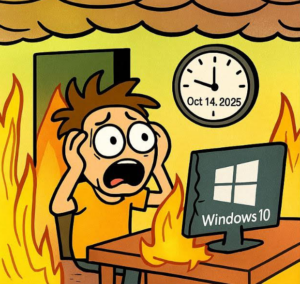
You might have heard that Microsoft is ending support for Windows 10. While this may sound concerning, there’s no need to worry. We’re here to help. In this guide, we’ll explain what’s happening and outline your options. This will ensure a smooth transition for you.
What Happens If You Do Nothing?
On October 14, 2025, Microsoft will officially end support for Windows 10. After this date, your computer will still turn on and work, but it will be like leaving your front door unlocked. Without regular security updates, your PC becomes an easy target for viruses and other harmful software.
Third-Party Patching (0patch) – A Great Solution for Staying on Windows 10
For users who are not ready to upgrade to Windows 11, a third-party service called 0patch offers a compelling solution. This service provides security patches for key vulnerabilities after Microsoft’s support ends. 0patch has stated they will provide these critical security updates for at least five more years.
It’s important to know that while it helps, these are not the same as full Windows updates. They are targeted security fixes and will not include new features, bug fixes, or support for new hardware. This is a viable paid service (typically around $27 USD per year for one device) that you can renew. Additionally, many popular programs like Google Chrome and other web browsers have their own support lifecycles. These are expected to extend through at least 2028. You can learn more here: 0patch.
Upgrade to Windows 11 (Microsoft’s Recommended Path)
If your computer is compatible, the best and most straightforward solution is to upgrade to Windows 11. This upgrade is free. It also provides you with the latest features and a robust security foundation for years to come. We can help you check if your computer meets the requirements and guide you through the simple process. For more information, please see the official Microsoft guide: Microsoft’s Official Windows 11 Upgrade Page.
Get a New Computer
Alternatively, if your current computer is not compatible with Windows 11, it might be the right time to consider a new device. Most new computers come with Windows 11 pre-installed, offering the best performance and security. When you are looking for a new computer, we recommend checking for:
Memory (RAM): 16 GB or 32 GB.
Storage: 512 GB SSD (Solid State Drive) is ideal, but 256 GB will be sufficient for some users.
We recommend looking for a new computer at Dell.com/outlet, especially their business lines, for reliability. You can, of course, shop elsewhere as well.
Ready to take the next steps? You can reach out to us for a personalized consultation.
Contact us: We’re here to discuss your specific situation and ensure a smooth transition.
Call us or book an appointment.